
Advanced - Logs
The Logs tab allows you to enable or disable service and features logs. Logs exist to find more easily the origin of the errors encountered on TSplus Advanced Security. To retrieve the logs, open an Explorer and browse to the logs folder of TSplus Advanced Security’s setup directory. By default, logs will be located here: C:\Program…
The Logs tab allows you to enable or disable service and features logs. Logs exist to find more easily the origin of the errors encountered on TSplus Advanced Security.
To retrieve the logs, open an Explorer and browse to the logs folder of TSplus Advanced Security’s setup directory. By default, logs will be located here: C:\Program Files (x86)\TSplus-Security\logs
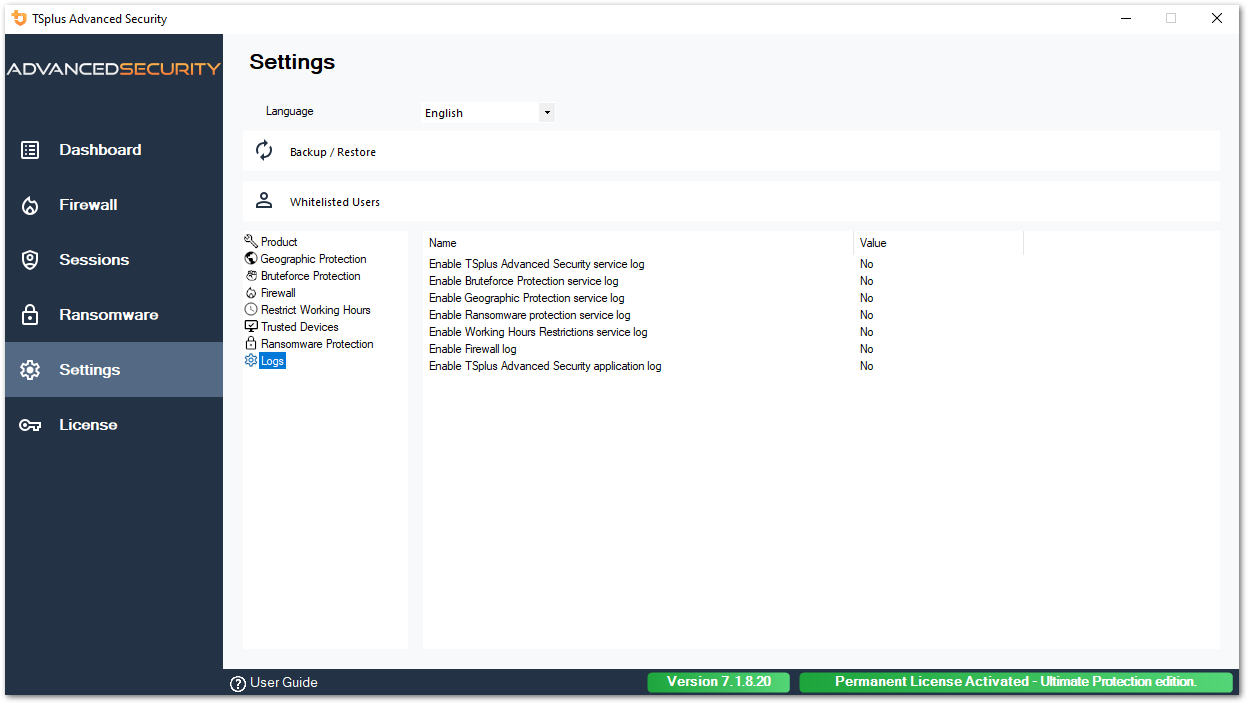
Enable or disable TSplus Advanced Security service and application logs, which are respectively the global configuration service that runs in the background and the log for the application interface.
You can also enable logs corresponding to the respective TSplus Advanced Security’s features:
- Service
- Bruteforce Protection
- Geographic Protection
- Ransomware Protection
- Restrict Working Hours
- Firewall..
- Application
All logs are disabled by default. Logs correspond to different components, our support team will tell you what value to put according to the problem encountered.
Need help with this topic?
The TSplus Türkiye team can help you validate the configuration before production rollout.