
Delete Account From TSplus Remote Support Android
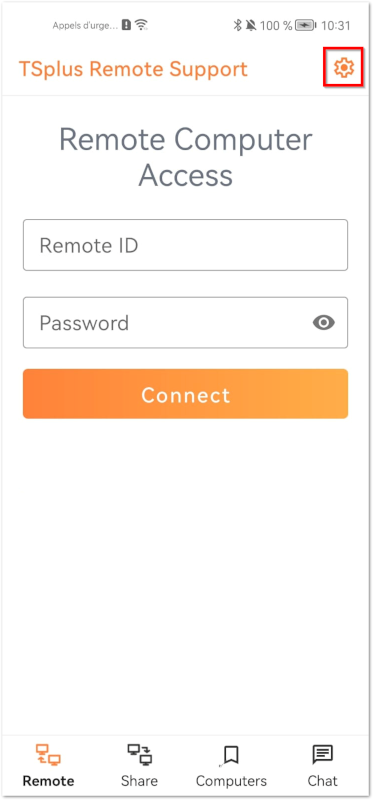
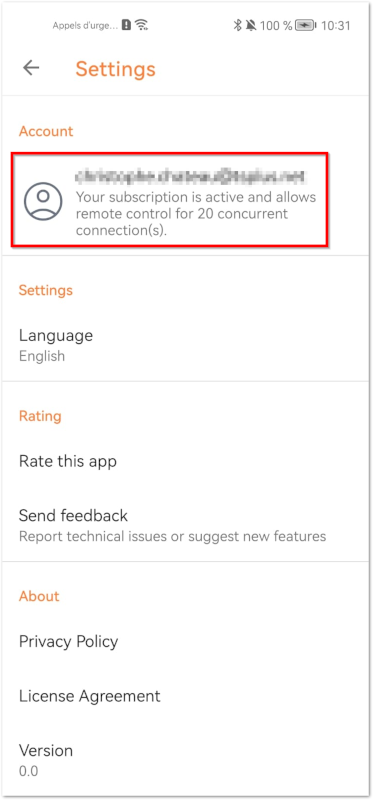
To delete your account from the TSplus Remote Support application go to your settings Then go to your account And click on the “Delete” menu Note: all your informations including (email, computers, sessions, settings) will be permanently deleted without any possible recover.
To delete your account from the TSplus Remote Support application go to your settings
Then go to your account
And click on the “Delete” menu
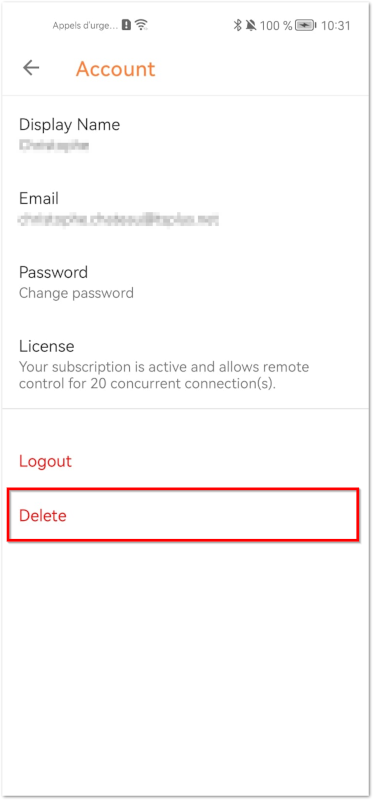
Note: all your informations including (email, computers, sessions, settings) will be permanently deleted without any possible recover.
TSplus Türkiye
Contact local support →Need help with this topic?
The TSplus Türkiye team can help you validate the configuration before production rollout.