
Capture UAC Screens
The UAC (User Account Control) screen prompts for authorization when performing actions that require administrative privileges. As a result, these screens can only be captured if the remote client is running as an Administrator. To capture these UAC screens, you have a few options: Request the user to start the Remote Support client as…
The UAC (User Account Control) screen prompts for authorization when performing actions that require administrative privileges.
As a result, these screens can only be captured if the remote client is running as an Administrator.
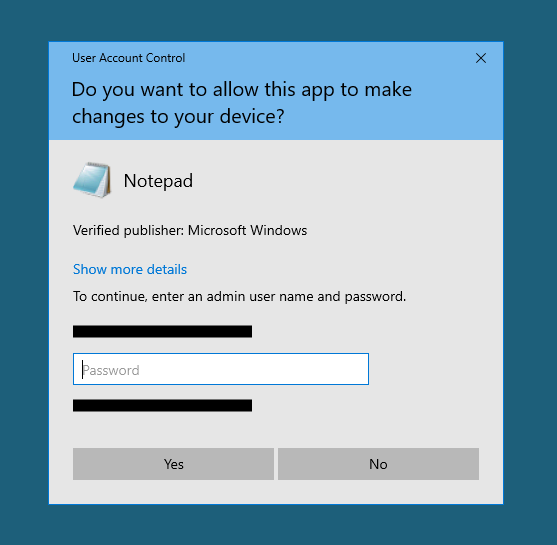
To capture these UAC screens, you have a few options:
- Request the user to start the Remote Support client as an Administrator directly.
- During the session, ask the user to restart the remote client as an Administrator using the Capture UAC Screens button.
- Enable unattended access beforehand and use the unattended access password to establish a connection.
TSplus Türkiye
Contact local support →Need help with this topic?
The TSplus Türkiye team can help you validate the configuration before production rollout.