
Access Saved Remote Computers
Each agent can save their own list of remote computers so they are easy to find later. Add a computer Click on the add button to add a new computer to your list. Only the computer ID is necessary to add a new computer. Additionnaly, you can provide a custom name for the computer. If no name is entered it will default to the computer ID.…
Each agent can save their own list of remote computers so they are easy to find later.
Add a computer
Click on the add button to add a new computer to your list.
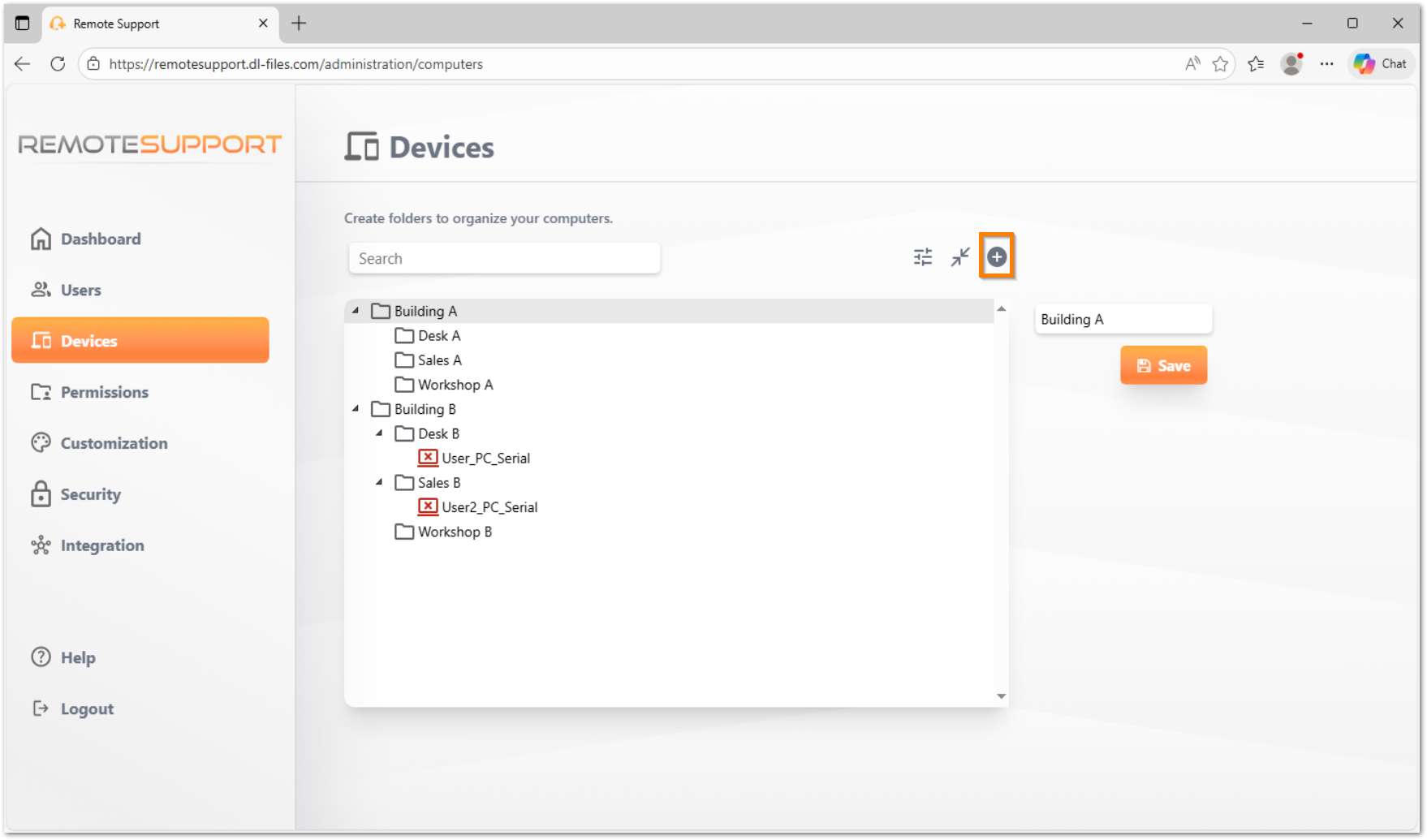
Only the computer ID is necessary to add a new computer.
Additionnaly, you can provide a custom name for the computer. If no name is entered it will default to the computer ID.
If you have unattended access to this computer, you can also store the computer’s Remote Support password.
Agents can keep notes about each PC in the Remote Computer list.
Manage computers
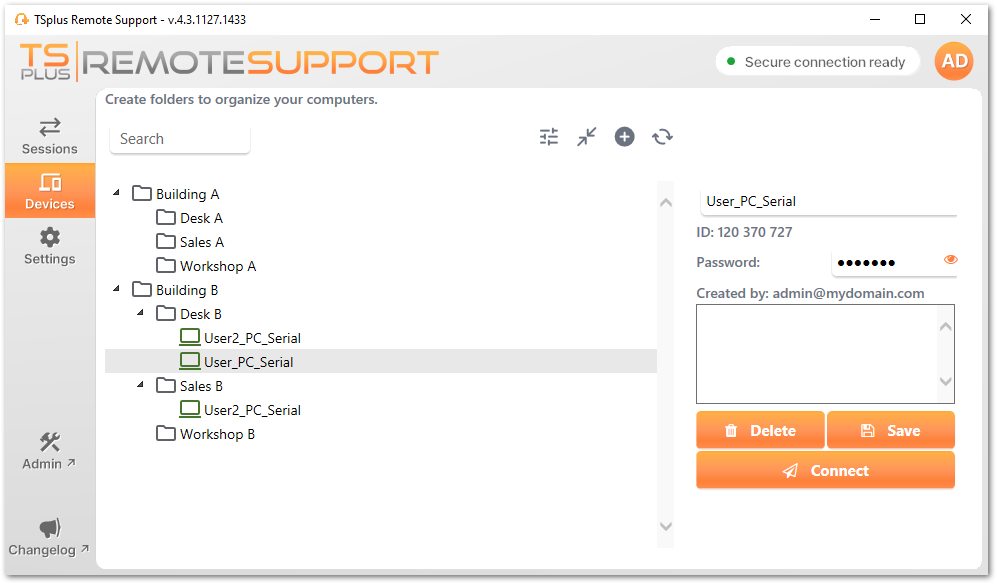
You can search a computer in your list using the search bar.
You can edit your computer information at any time. Just click on the computer you want to edit. Its information will appear on the right of the screen. Edit your information directly and it will be saved automatically.
The Connect button enables agents to start a remote session to the selected computer in one click.
Notes : on Windows Server you need to disable the IE Enhanced Security Configuration to render this page correctly. Follow this Microsoft guide to fix icons loading issue.
Need help with this topic?
The TSplus Türkiye team can help you validate the configuration before production rollout.