
Advanced Features - Contextual Menu
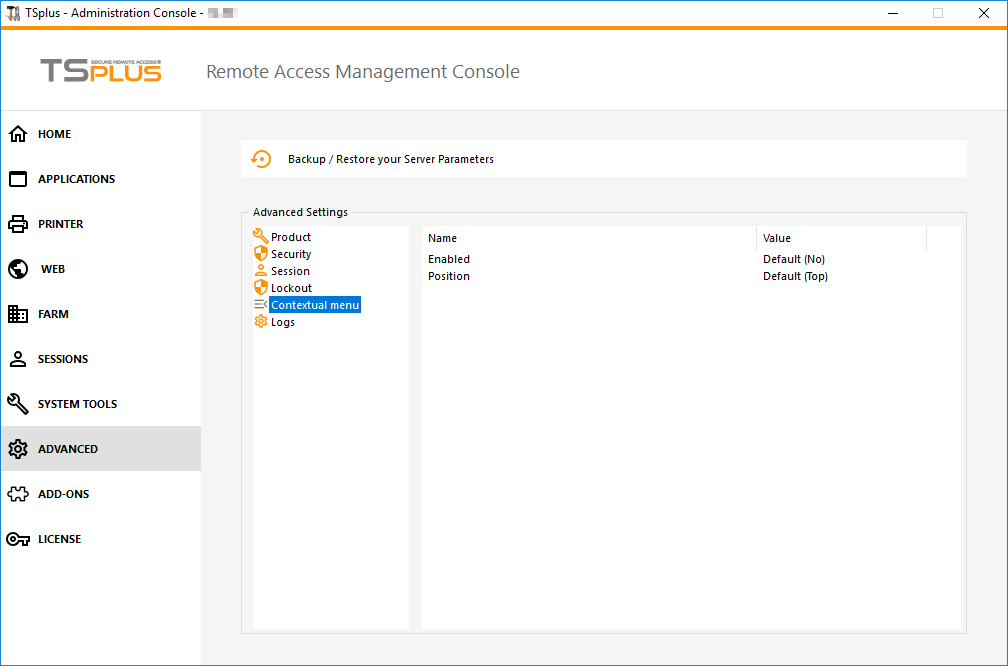
Overview Since TSplus version 12.50, a new “Send to Client” menu can be enabled under the Advanced > Contextual Menu tab to easily send files to client workstation. This feature works with all connections methods. By default, this feature is disabled. Select the “Yes” value then click on “Save”, in order to enable it : You can also…
Overview
Since TSplus version 12.50, a new “Send to Client” menu can be enabled under the Advanced > Contextual Menu tab to easily send files to client workstation. This feature works with all connections methods.
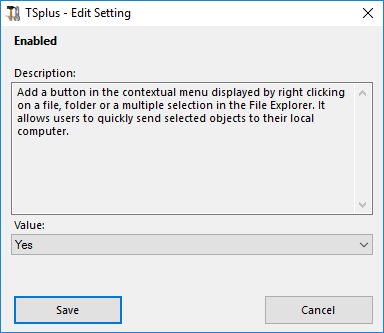
By default, this feature is disabled. Select the “Yes” value then click on “Save”, in order to enable it :
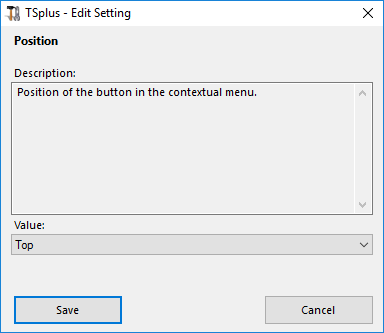
You can also change its position. By default, it will show on top:
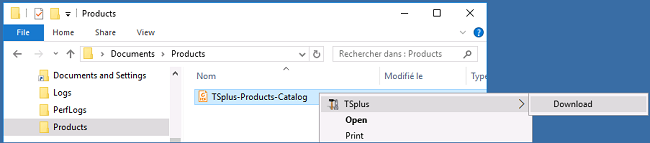
This is a right-click contextual menu. Just select the desired folder or files, right-click on it, select the “TSplus” tab and simply click on “Download”:
You will find your download into the Webfile folder and into the “Downloads” folder of your web browser:
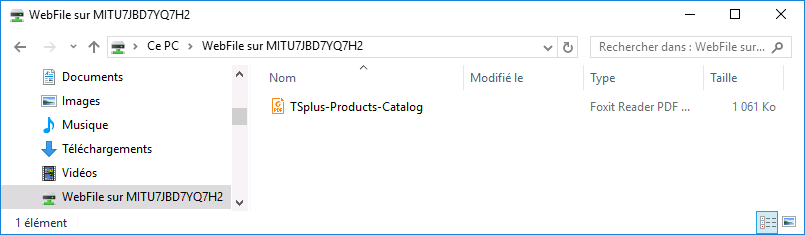
Each downloaded folder is automatically compressed into a zip file.
Need help with this topic?
The TSplus Türkiye team can help you validate the configuration before production rollout.