
HTML5 Client: Parameters in URL address
When using Terminal Service Plus HTML5 client to connect to a remote server, you can specify several parameters in the URL address to override default parameters, such as: user login user password program to run startup directory for the program to run command line for the program to run Run a Specific Application Here is an example of…
When using Terminal Service Plus HTML5 client to connect to a remote server, you can specify several parameters in the URL address to override default parameters, such as:
- user login
- user password
- program to run
- startup directory for the program to run
- command line for the program to run
Run a Specific Application
Here is an example of a full URL address to open a remote session for user “demo” with password “demo” and by starting standard notepad upon session opening:
Please note that in the URL address all slashes characters must be repeated 4 times.
You do not have to specify all these parameters at the same time: the parameters not specified will have their default configured value.
Connect with Web Credentials
If you want to use a Web Credential to connect, you can pass it in an URL by adding an ”@” before the Web Login.
Here is an example of a URL address to open a remote session with the Applications Panel for Web Credentials “1234” with password “demo”:
https://demo.tsplus.net/software/html5.html?user=@1234&pwd=demo
Restrict this usage to Users Default Applications
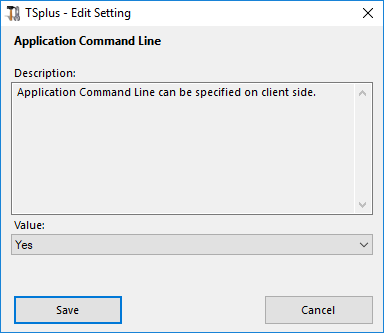
You can disable the Application Command Line for users by going on the Advanced —> Session tab of the AdminTool, double-clicking on the “Application Command Line” setting and setting the value to “No”.
Need help with this topic?
The TSplus Türkiye team can help you validate the configuration before production rollout.