
How to: Change visibility of some infos on custom report
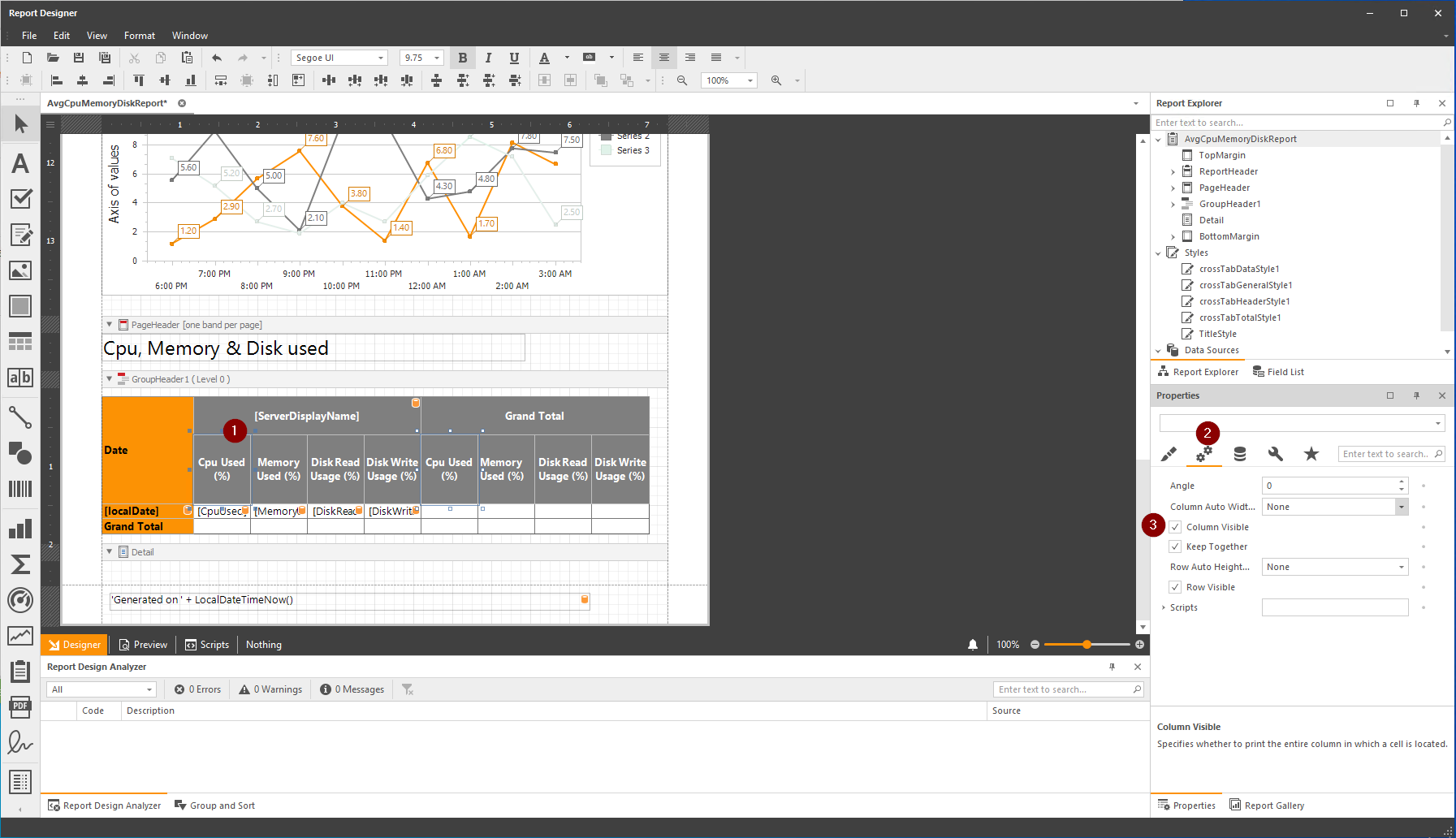
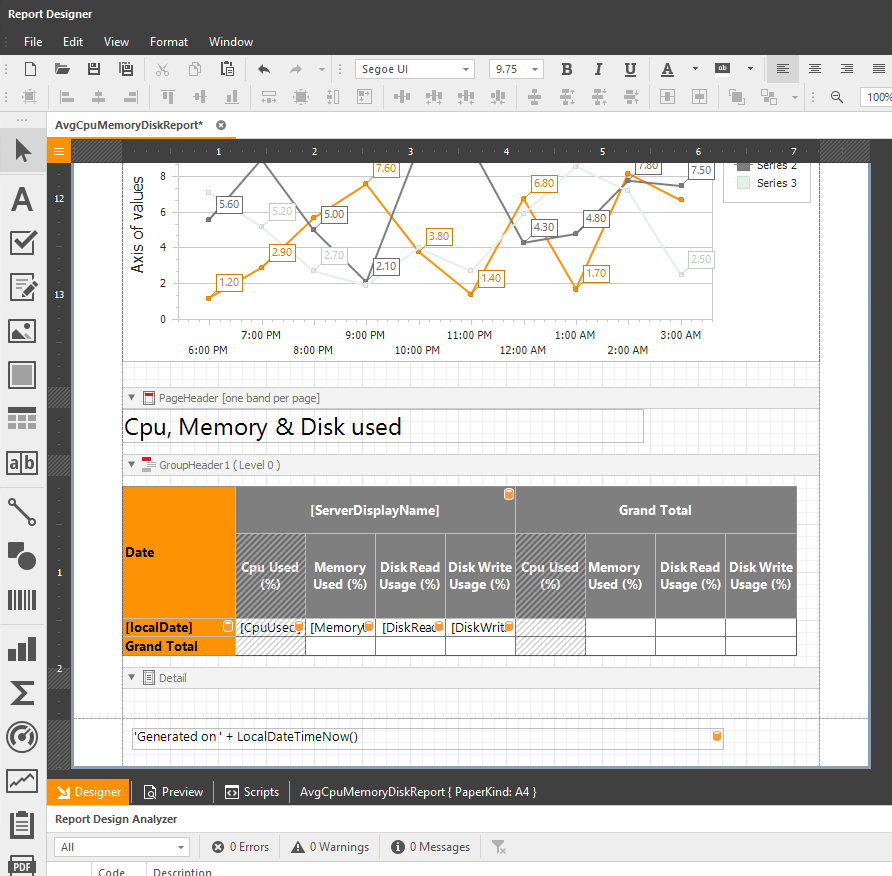
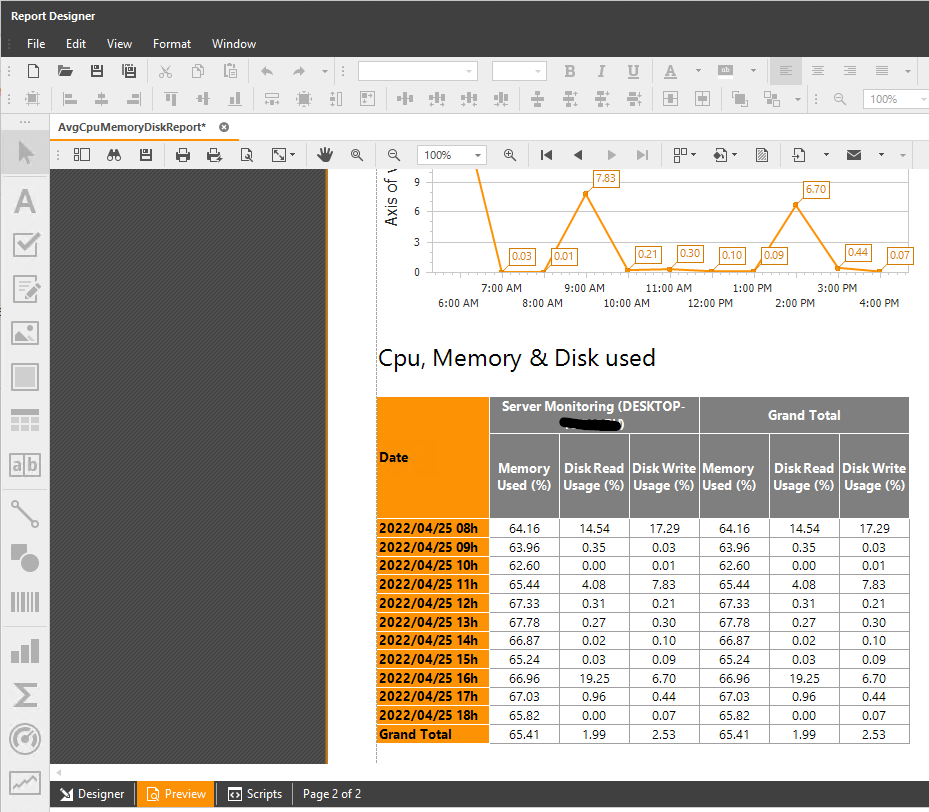
You may be interested by only some indicators on a report. You can hide the others by clicking on the concerned fields, and then in the Behavior properties, you can tick the Column Visible checkbox: Then, in the Designer view, you will see the fields greyed out: And in the Preview view, you will see the fields hidden:
You may be interested by only some indicators on a report. You can hide the others by clicking on the concerned fields, and then in the Behavior properties, you can tick the Column Visible checkbox:
Then, in the Designer view, you will see the fields greyed out:
And in the Preview view, you will see the fields hidden:
TSplus Türkiye
Contact local support →Need help with this topic?
The TSplus Türkiye team can help you validate the configuration before production rollout.