
How to: Change the logo of a custom report
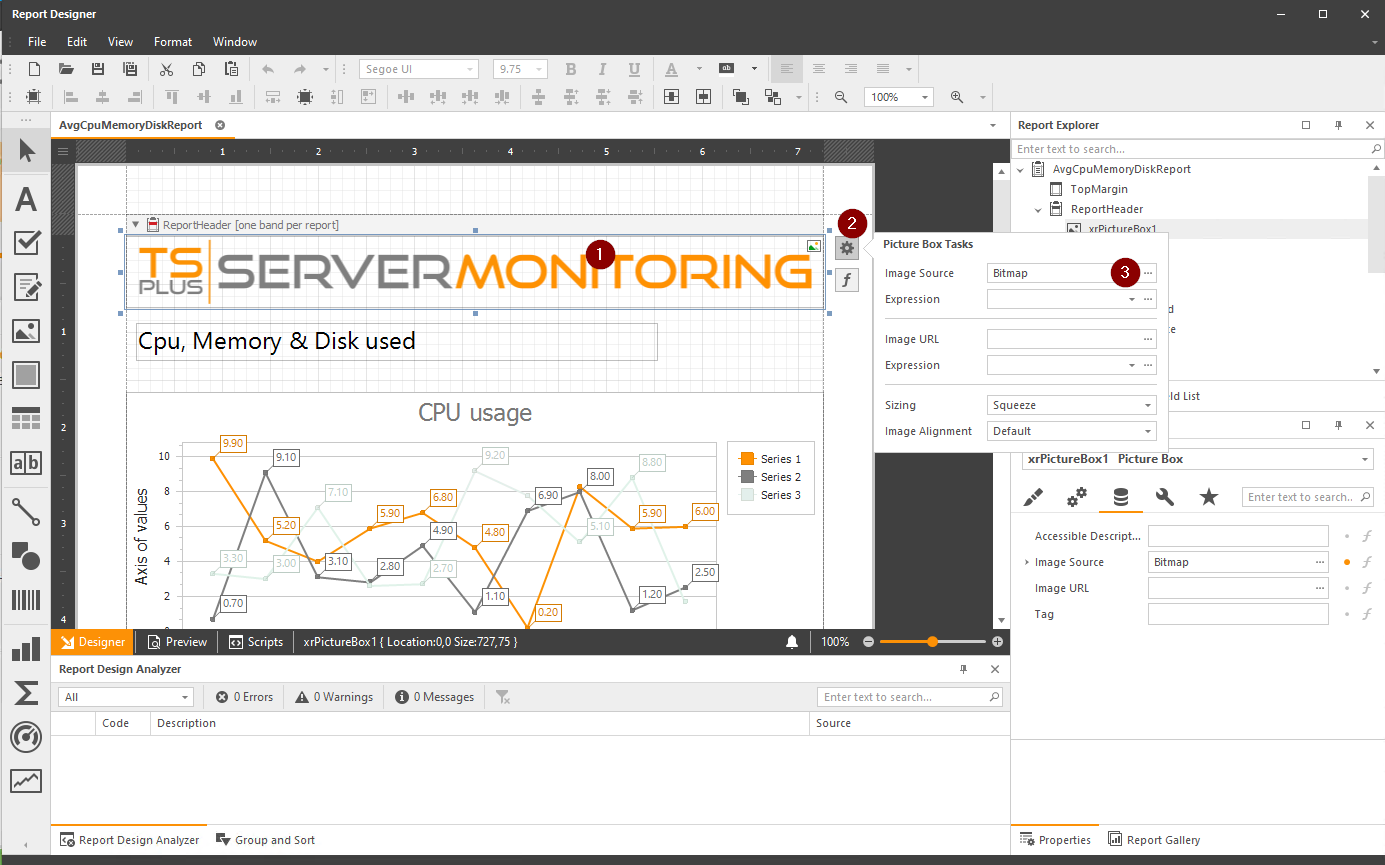
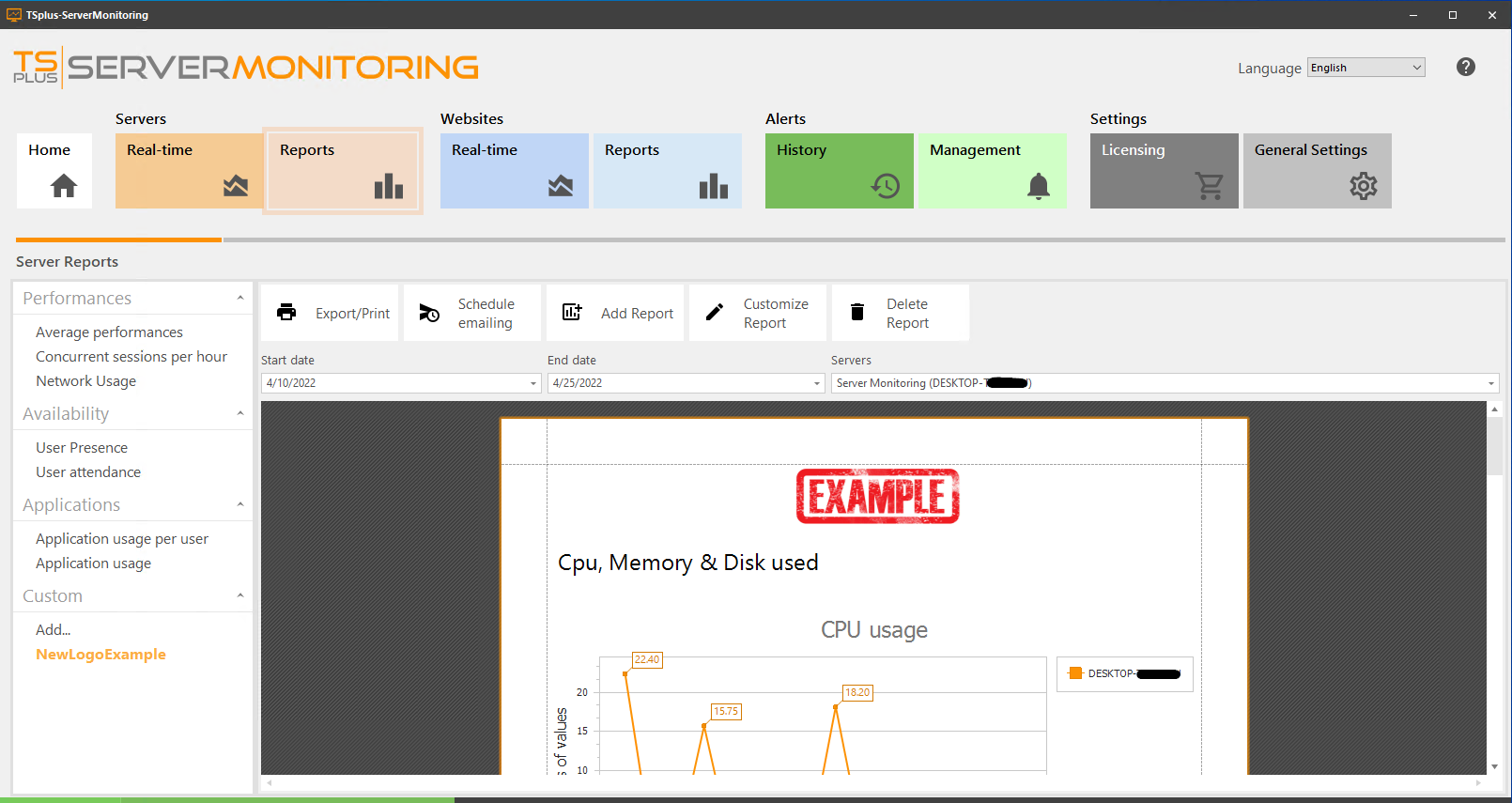
To change the logo of a custom report, you may click on the current logo, and then click on the settings button, and change the Image Source field: Then, save, and look at the modifications applied:
To change the logo of a custom report, you may click on the current logo, and then click on the settings button, and change the Image Source field:
Then, save, and look at the modifications applied:
TSplus Türkiye
Contact local support →Need help with this topic?
The TSplus Türkiye team can help you validate the configuration before production rollout.